Customise Linux Terminal
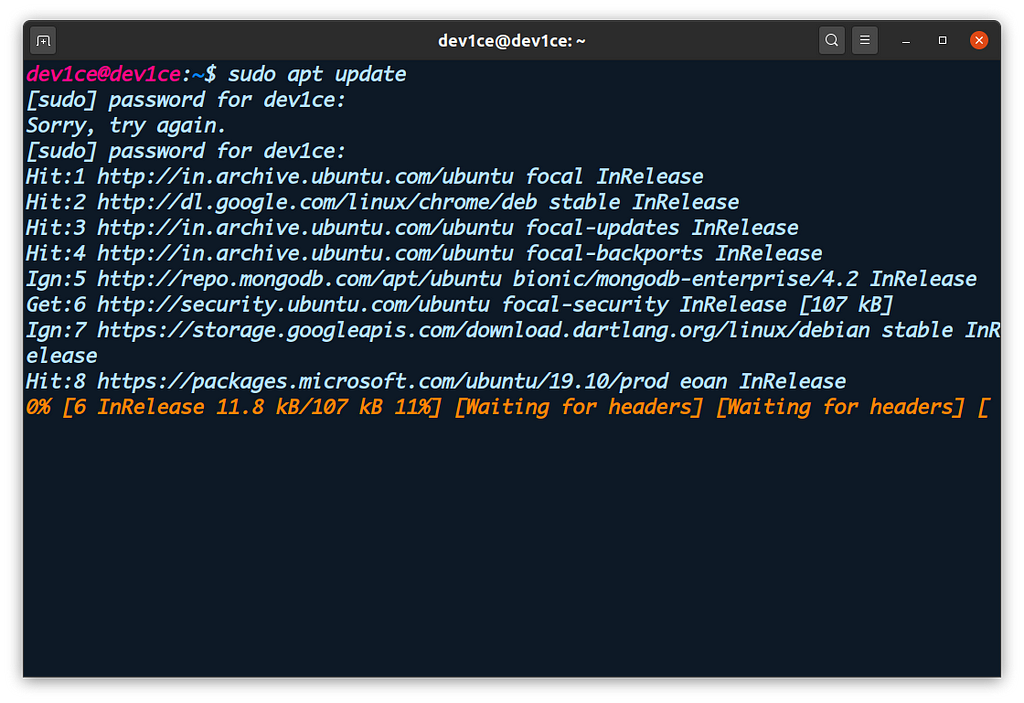
Customise Linux Terminal Here’s my terminal how look like
Hey folks! I am going to show you how to customise Linux Terminal
(1) Choose Theme For Terminal :
Here’s how you can change theme of terminal:
Pre-Install:
$ sudo apt-get install dconf-cli uuid-runtime
Install:
$ bash -c “$(wget -qO- https://git.io/vQgMr)”
Or, if you are a Mac user:
$ bash -c “((curl -sLo- https://git.io/vQgMr)”
Choose any theme you like it, Personally i like (aci) one, then enter theme number which one you like it for aci it’s (02)
Then go to preferences->profile->choose your preferred theme

(2) Change Font of Terminal :
To change font of terminal get ttf file of that particular font
for Mac monaco font try this one:
http://www.gringod.com/wp-upload/software/Fonts/Monaco_Linux.ttf
then execute that file.
Now to change font of terminal to monaco go to preferences->custom font->monaco
(3) Change color of user, host and directory :
You can edit the settings editing the file: ~/.bashrc.
- Open the file: gedit ~/.bashrc.
- Look for the line with #force_color_prompt=yes and uncomment (delete the #).
- Look for the line below if [ “)color_prompt” = yes ]; then that should looks like:
PS1=’({debian_chroot:+()debian_chroot)}\[\033[1;31m\]\u@\h\[\033[00m\]:\[\033[01;34m\]\w\[\033[00m\]\$ ’
Pay attention at the part \u@\h it is saying “user@host” and the number before it \[\033[01;31m\] indicates the color. This is what you have to change. For example, lets change the user to purple, the “@” to black and host to green. Edit the line so it looks like:
PS1=’({debian_chroot:+()debian_chroot)}\[\033[01;35m\]\u\[\033[01;30m\]@\[\033[01;32m\]\h\[\033[00m\]:\[\033[01;34m\]\w\[\033[00m\]\$ ’
The colors numbers are:
Black 0;30 Dark Gray 1;30
Blue 0;34 Light Blue 1;34
Green 0;32 Light Green 1;32
Cyan 0;36 Light Cyan 1;36
Red 0;31 Light Red 1;31
Purple 0;35 Light Purple 1;35
Brown 0;33 Yellow 1;33
Light Gray 0;37 White 1;37
Now play with color code and change accordingly.
Voila! It’s Done..
You can include dynamic values by using placeholders like: https://drewdru.local.press/articles/817f6fa7-b11e-40f5-b555-004cc50a415e, Drew Dru, https://medium.com/@cherish_patel/customise-linux-terminal-45d5de9f7e4c?source=rss-a1936da4ad5c------2, drewdru, drewdru, drewdru, drewdru These will automatically be replaced with the actual data when the message is sent.
Write a comment